Review your branch in cmux
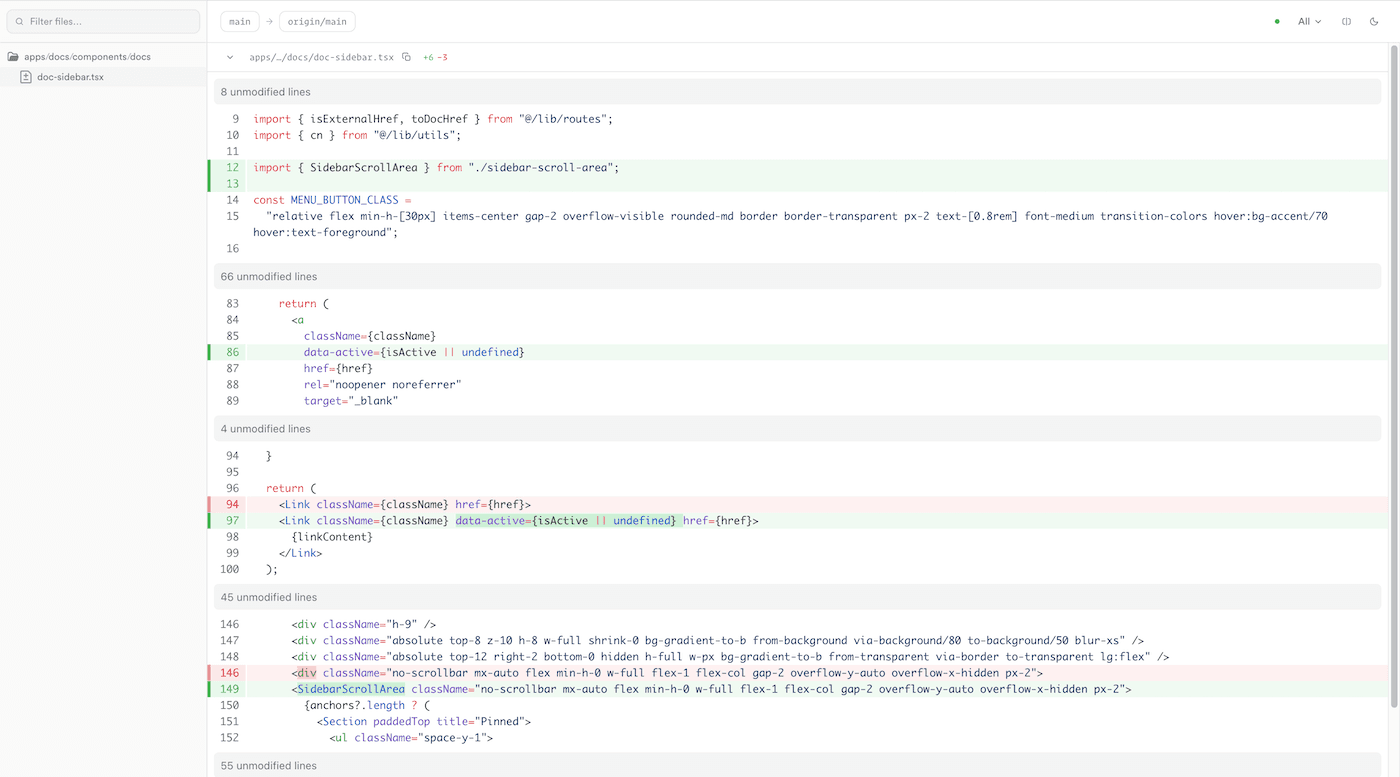
DiffHub opens your branch in a cmux browser split and compares it with the detected base branch, usually origin/main.
npx diffhub@latest cmuxPrefer a normal browser tab? Run npx diffhub@latest.
Why use it
- You want to review a branch without leaving your local workflow
- Stay in cmux with a browser split for the diff.
- git diff is fine until the branch gets big
- See the full branch against the detected base branch.
- You want a quick review pass before opening a PR
- Leave notes as you review, then jump back into your editor.
What it does
- cmux
- Run diffhub cmux and open the diff in a cmux browser split.
- Branch diff
- DiffHub compares your branch to the detected base branch, usually origin/main.
- Views
- Toggle between side-by-side and inline diffs.
- Notes
- Leave notes on any line and copy them as a prompt.
- Refresh
- Keep the view open while you edit and refresh the diff as needed.
- Open files
- Right-click any file to open it in VS Code, Zed, Ghostty, Terminal, or Finder.
Shortcuts
jkNavigate files
sToggle view
/Filter files
rRefresh
cCollapse file
Get started today
Use the cmux command if you want the diff in cmux. Use the default command if you want it in a normal browser window.
npx diffhub@latest cmuxNo cmux? Run npx diffhub@latest.